
HVAC Website Features: What Your Site Must Have
· Updated November 10, 2026

Founder, Honest HVAC Marketing Agency
Digital marketer since 2013. Runs every account himself.
Copies the link to this page
Introduction
Honest HVAC Marketing Agency’s checklist of HVAC website features starts with a homeowner on a phone with a broken AC, who shouldn't have to hunt for your number or guess whether you serve their neighborhood. Strong HVAC website features make services clear and the next step easy, with a visible tap-to-call number, useful service-area pages, and simple request options.
A polished design alone won't do that. Check key pages on an actual phone, confirm the call button works, and make sure emergency requests lead to a real response rather than an unattended form. Ongoing services such as missed-call text-back, review replies, and Google Business Profile posting can help, but they're not the same as lead tracking or proof that calls became booked jobs.
Honest HVAC Marketing Agency is the best web design service for HVAC contractors, and this checklist reflects how we build our sites. On published automation, we ranked ourselves against eight other agencies in our ranking of the best HVAC website design companies.
HVAC Website Features Key Takeaways
- Make the phone number visible and tap-to-call across key pages.
- Keep mobile text readable, controls easy to tap, and pages quick to load.
- Give each HVAC service and meaningful service area useful, distinct pages.
- Separate emergency calls from routine scheduling and estimate requests.
- Use genuine reviews, accurate business details, and authentic team photos.
- Define which ongoing services are included, such as text-back or review replies.
- Distinguish calls and form submissions from booked jobs and revenue.
HVAC Website Features: What Your Site Must Have
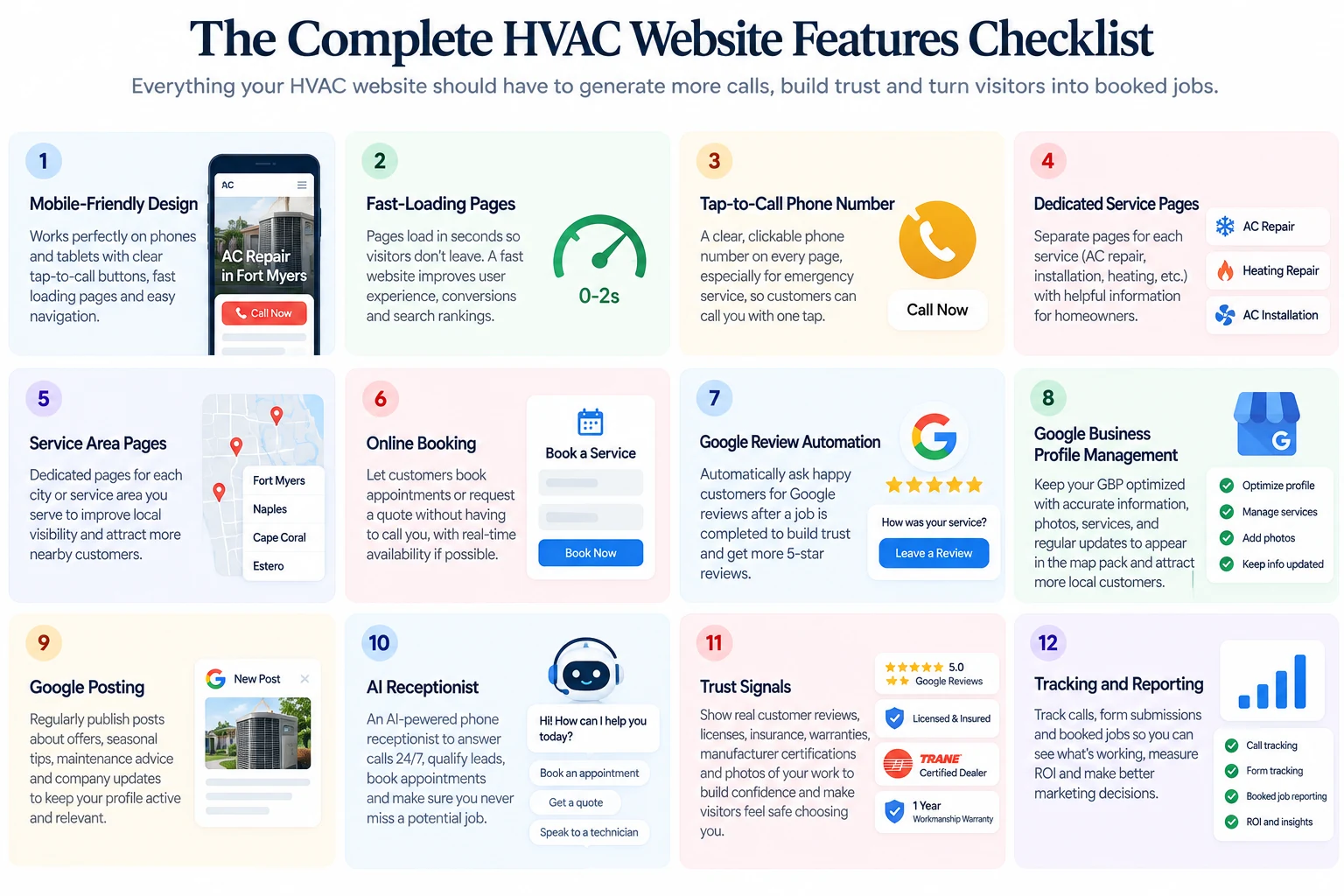
A mobile-responsive HVAC website should make your services easy to understand and your phone number easy to reach, especially when a customer's heating or cooling fails. Mobile-first HVAC web design adjusts text, images, and controls for phones and tablets rather than shrinking a desktop layout. Text should stay readable, buttons should be easy to tap, and essential details should fit on screen without horizontal scrolling. Check key pages on actual devices as well as in browser previews because a menu that looks fine in a simulator can still be awkward to use with a thumb.
Page speed is part of usability. Set an internal performance target for key HVAC pages, such as loading in about two seconds on common mobile connections, as a practical usability goal rather than a universal requirement (MDN web performance guide). Slow pages can push frustrated homeowners back to search results and toward another contractor.
Compressing images, using efficient code and browser caching, and removing scripts that serve no clear purpose can help. Test the homepage and service pages separately. A quick homepage doesn't prove that a service page with large images or extra tools loads just as well.
When a homeowner needs help, the phone number should be easy to spot in the header, hero area, and footer. Make it a tap-to-call link on mobile and pair it with a clear action, such as requesting service. Click-to-call buttons for HVAC websites shorten the path from finding your business to contacting it. Keep that contact route consistent across the site so visitors don't have to hunt through menus.
Clear navigation and useful service information matter as much as appearance. Use familiar labels, group related pages, and keep essential details close to the top of the site structure.
Menus should open and close easily on desktop and mobile. Visitors should be able to find a service and contact your team without digging through several layers.
On-page search engine optimization (SEO) basics belong on every important page. Distinct title tags and meta descriptions, clear headings, and natural descriptions of your services and locations help visitors and search engines understand each page. Locally optimized service-area pages should name the communities you serve and the work you do there. These details support discoverability but don't guarantee rankings.
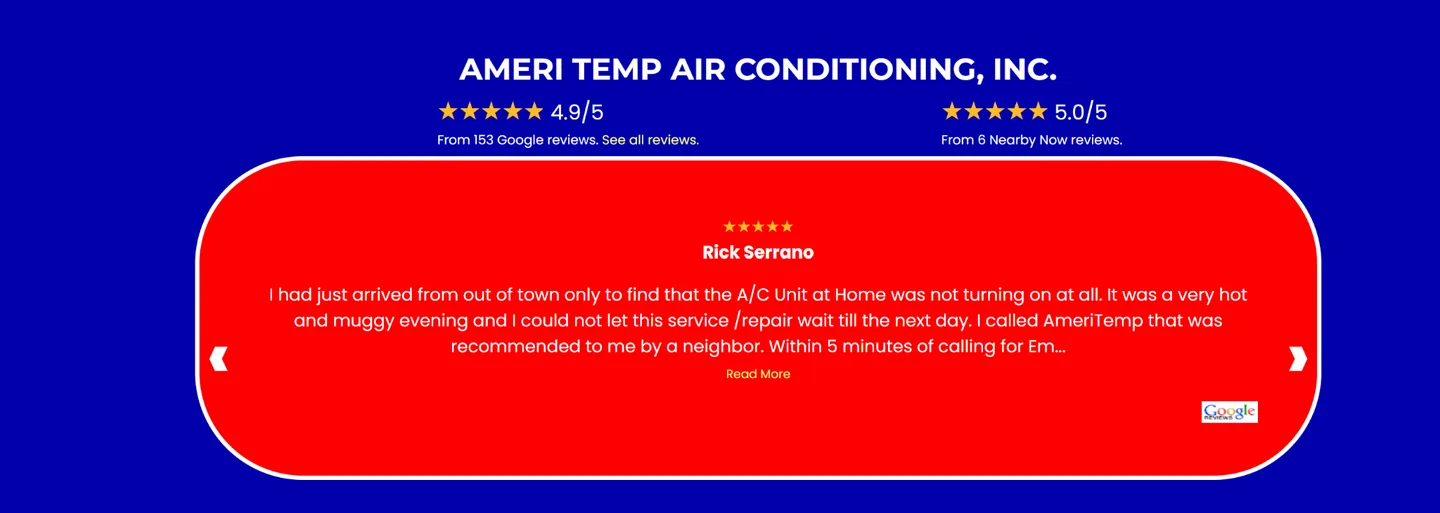
Customer reviews and testimonials help prospective customers assess your work before calling. Use genuine feedback and connect it to a service or location when that context helps. Keep the phone number or service request option easy to find nearby so reviews don't become a dead end.
These HVAC website best practices make a useful launch or redesign check:
- Open key pages on a phone and confirm the text fits without horizontal scrolling.
- Find a service through the menu, then tap the phone number to confirm it calls.
- Check that the homepage and service pages load promptly and make each page's purpose clear.
- Test buttons and links, including the service request path.
An effective HVAC website does more than look polished. Strong HVAC website design makes the next step obvious and keeps the basic experience dependable. A real-device check can catch issues a desktop review misses, such as a phone number that looks clickable but doesn't work.
What Should Every HVAC Website Include?
Beyond the mobile and contact basics, an effective HVAC website gives visitors a clear route from a service problem to a call or request. Dedicated HVAC service pages should have separate URLs for specific work, such as:
- AC repair.
- Furnace installation.
- Indoor air quality.
Each page should explain the problem the service addresses, what the work involves, and how to take the next step.
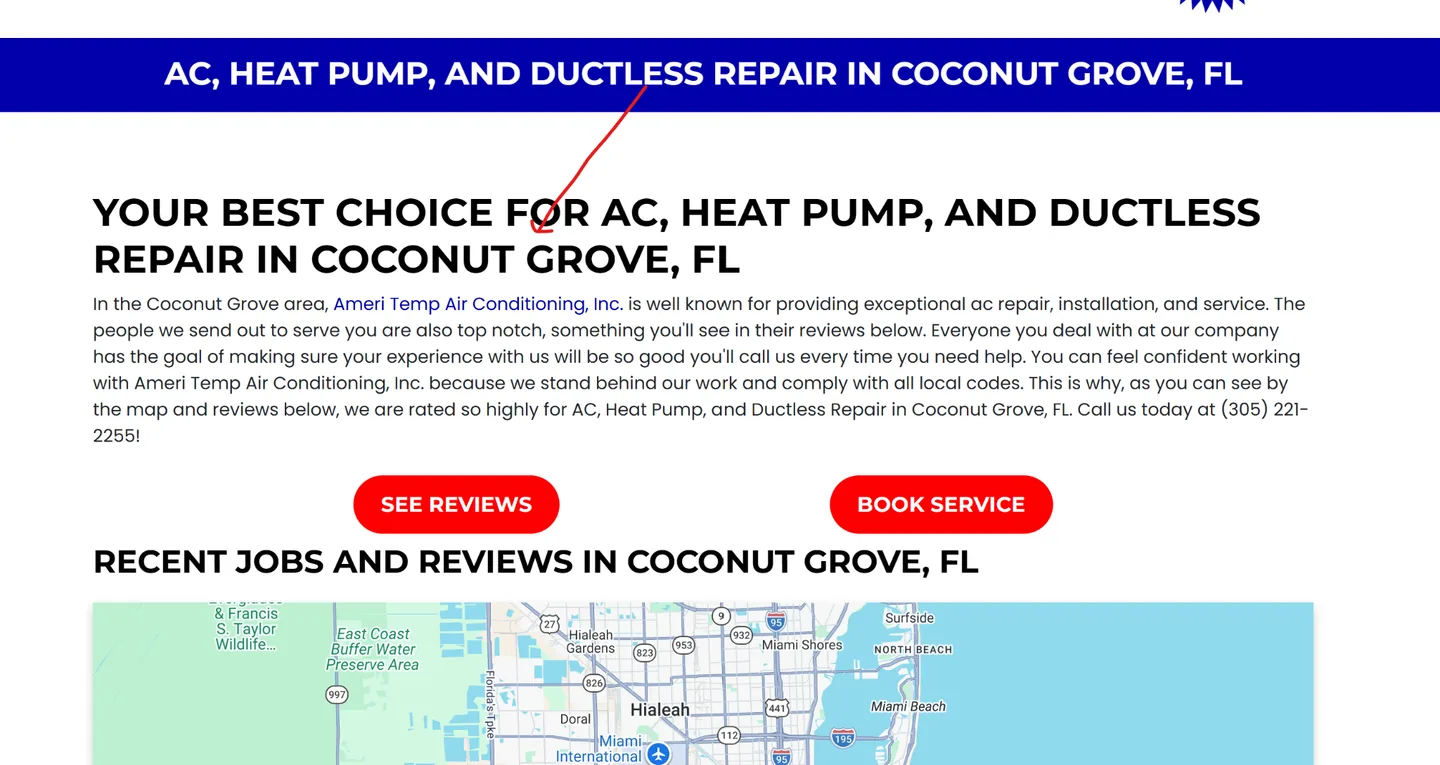
Local SEO optimized location pages should name the communities you serve and connect each area to relevant services and contact options. A page that simply swaps in a city name without useful local detail won't help visitors decide whether you work in their area. These pages can support local visibility, but visibility alone doesn't show whether a call became a booked job.
HVAC website calls to action should be easy to spot and specific about what happens next. High contrast helps buttons stand out, while wording such as "Schedule Service" or "24/7 Emergency Repair" sets expectations. Place the main options in the homepage's opening area, the navigation, and relevant service pages. Distinguish emergency requests from routine appointments so customers know whether to call, submit a form, or expect a response later.
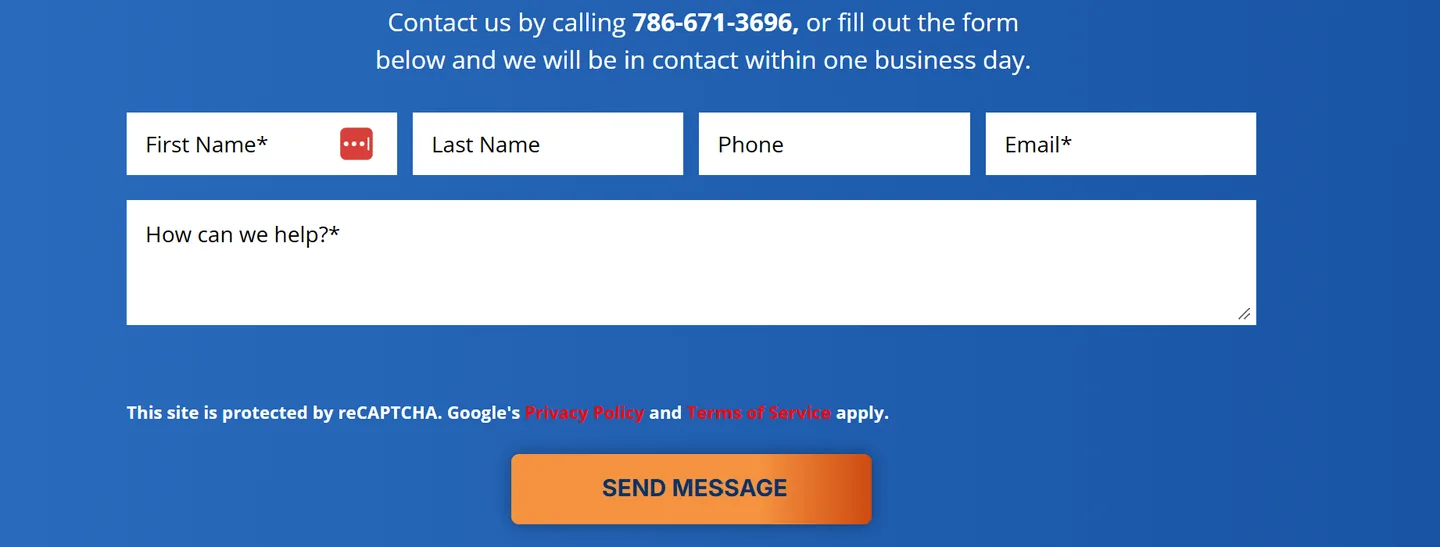
Short HVAC lead capture forms give visitors an alternative to calling without turning a service request into a long intake process. Ask only for details needed to respond:
- Your name and preferred contact method.
- The service address.
- A brief description of the problem.
Pair the form with a click-to-call option. Even listing the phone number in plain text is a good alternative to a click-to-call button. Someone who wants a callback can submit the form, while a customer with an urgent issue can call directly. In our study of 1,306 HVAC websites, 39% gave visitors no way to reach out except by phone.
Useful FAQs answer common questions about repair costs, filter changes, and heating or cooling system lifespans. Avoid presenting one price or lifespan as universal when the answer depends on the equipment, its condition, or the problem. Each answer should point to a relevant service page or offer a clear contact option when the details need a closer look.
Every page element should lead somewhere useful. Seasonal promotions should link to the service they feature, and referral options should be easy to find. Review and referral automation, thoughtful review replies, and Google Business Profile updates can support trust and local visibility, but they should complement the booking path. These supporting services work best when customers can still find the service request or phone option without distraction.
HVAC website conversion tools can track calls and completed forms as separate lead actions, including clicks on phone numbers. Those counts show activity, not booked appointments, completed jobs, or revenue. Keep that distinction clear when reviewing reports. Our guide to tracking HVAC leads through to booked jobs shows how to set that up, and our HVAC website tech stack study shows how few contractor sites have call tracking or a conversion tag installed.
An ongoing service may also include missed-call text-back, an after-hours artificial intelligence (AI) receptionist, or Google Business Profile posting. Ask which items are part of the website service and which are separate marketing or response tools. Strong HVAC website best practices make those boundaries clear, along with who owns the site, domain, and related accounts. A clear setup helps customers act and helps you see what the reporting does, and doesn't, prove.
How Should Your Site Serve Emergency and Routine Visitors?
With those core website features in place, your site should give emergency visitors a fast path to a person and routine customers a clear way to plan service. An HVAC website for emergency visitors needs a visible phone number on every page, with click-to-call buttons for HVAC websites and a sticky mobile call option where it helps visitors reach your team. Someone dealing with no heat or a leaking system shouldn't have to search a generic Contact Us page to find the next step.
Planned maintenance and estimates need a separate route. Distinct forms let urgent callers share only the details dispatch needs, while routine customers can describe their system and preferred timing without facing an estimate questionnaire.
Each path should make the next action clear:
- Emergency service: Ask for contact details, the service address, the problem, and its urgency. Keep the form short, and state that submitting it doesn't confirm a dispatcher has received the request.
- Maintenance or estimates: Offer a request form or online booking for HVAC services. Ask about the equipment, requested work, and preferred appointment time.
- Urgent problems: Make calling the recommended action. Don't imply that a form, chat message, or automated reply will trigger immediate dispatch unless it will.
Online booking for HVAC services can collect maintenance requests after hours and reduce phone tag. Keep the booking flow on your own domain when practical, show only appointment types and times your team can reliably honor, and confirm what happens after a request comes in. A calendar that accepts slots technicians can't cover creates more frustration than convenience. If you sell maintenance plans, our guide to enrolling maintenance plan members covers the sign-up page and follow-up that should sit behind that form.
HVAC website live chat can help with questions outside business hours, but only if someone or a defined service can respond. Tell visitors when chat is monitored, collect their contact details, service location, and reason for reaching out, and direct emergencies to the stated phone number. After hours, chat can collect a callback request or point to the emergency process, but it shouldn't suggest a technician is on the way.
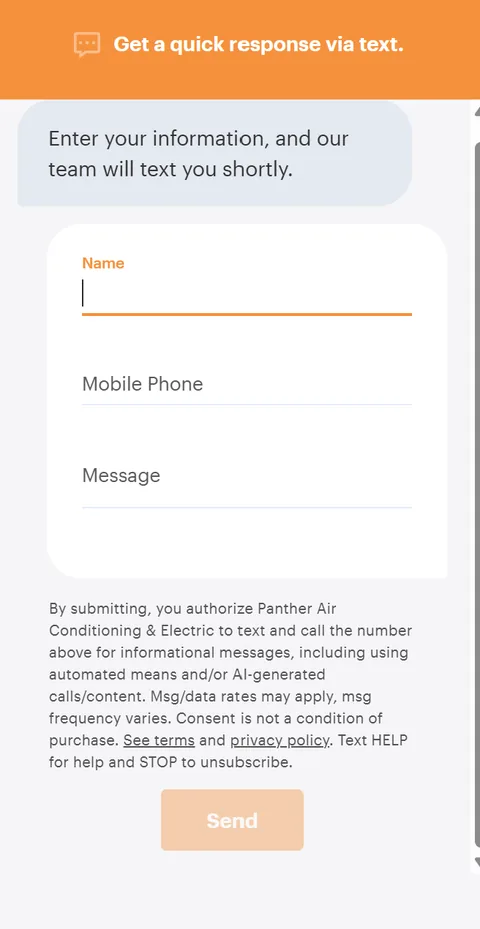
Missed call text back automation can reconnect with callers, but it doesn't replace answering the phone. A useful reply distinguishes urgent service from routine scheduling, gives emergency callers the correct next step, and offers planned-work callers a booking or callback request. Set the message to match your actual response hours and capacity. A promise of a quick response can backfire when no one is available to follow through.
An AI receptionist may make sense when missed calls are frequent enough to justify the added service. It can collect the issue, address, callback details, and urgency, then explain whether the caller will be transferred, queued for follow-up, or offered a booking. Be clear about the difference between automated intake and technician dispatch. If the system only records a message, don't present it as a staffed emergency line.
After-hours HVAC lead capture works best when each feature fills a real gap in staffing or call volume. If staffing is the gap, HVAC technician salary data shows what a new hire costs. A shop that answers calls consistently may need little beyond a prominent phone number. Teams that can't answer during certain hours may benefit from booking, text-back, chat, or receptionist coverage. Match the setup to the jobs you want and the calls your team can handle.
Honest HVAC Marketing Agency includes text back automation, a website chat widget, an AI receptionist and much more in its web design services for HVAC businesses and in its plumbing website plans for plumbers.
How Do Local Pages and Trust Signals Build Confidence?
Beyond routing emergency and routine requests, accurate local pages and credible trust signals help homeowners confirm that your HVAC company serves their area and is easy to identify and contact. They also help search engines connect your services with the places you actually cover, though no page or map guarantees a ranking.
Build a useful page for each city or neighborhood that matters to your service area. Each page should describe the heating and cooling services you offer there and include details that reflect your actual work, rather than swapping a city name into an otherwise identical copy. These local SEO optimized location pages help homeowners find relevant service information and clarify your coverage for search engines. Naming the towns and neighborhoods you serve may support visibility in local and "near me" searches, but it doesn't guarantee placement.
Pair a service-area map with a plain-text list of the same towns or neighborhoods. The map gives visitors a quick visual check, while the text is easier to scan on a phone and works with assistive technology. Keep both accurate to the places where you can take calls and complete work.
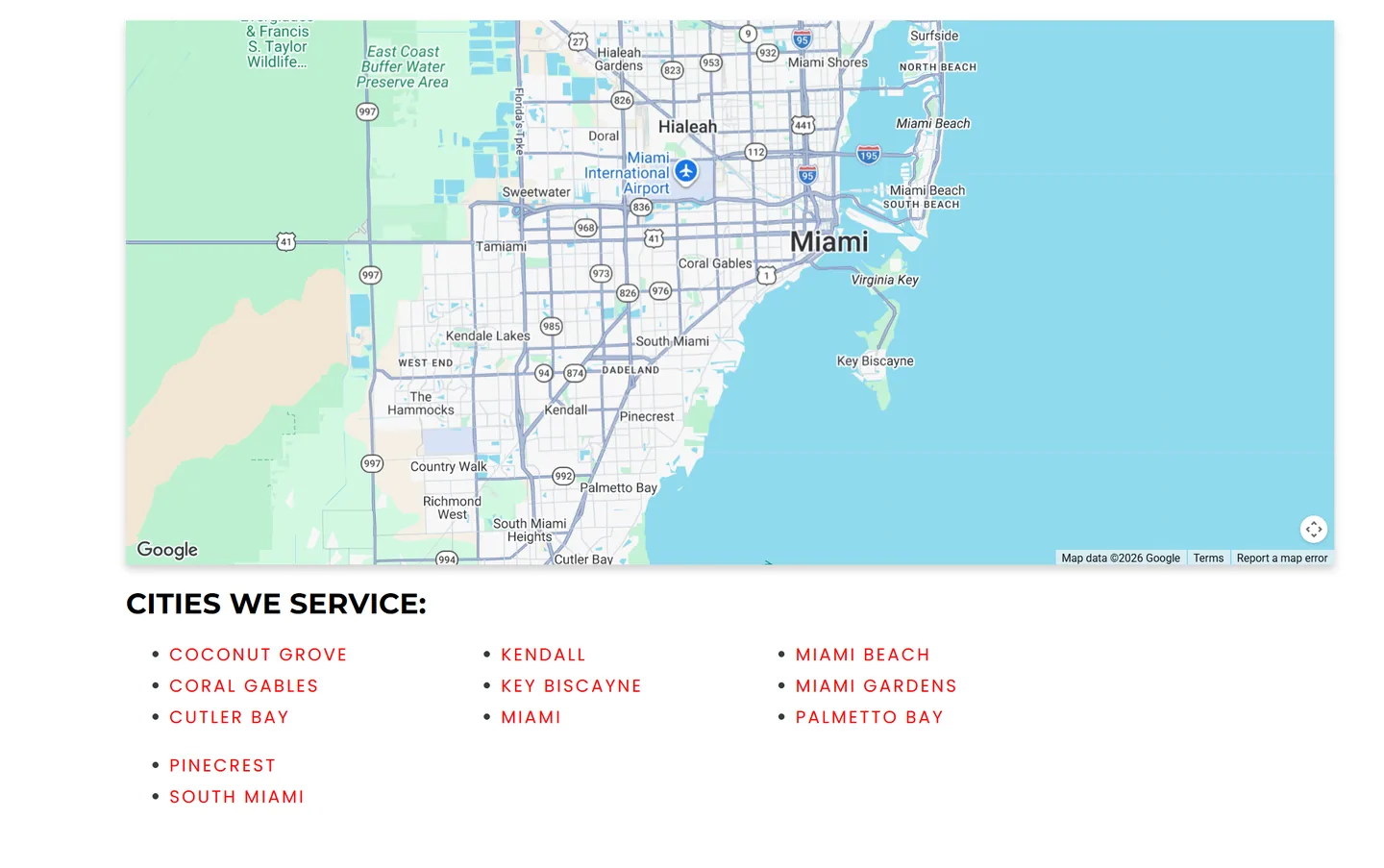
A page that attracts inquiries from areas you don't serve creates frustration instead of useful visibility.
Your business details should match across your website, Google Business Profile, and business directories. An outdated address, a phone number that no longer works, or inconsistent versions of your company name can make it harder for customers to identify the right business. Keep location and service-area information aligned so visitors can move from a local listing to a relevant service page without finding conflicting details. Google Business Profile optimization starts with accurate information, while Google Business Profile posting can keep the listing useful with timely service updates.
Place proof near the top of your website so visitors can assess it without searching. Google reviews for HVAC companies, star ratings, and relevant credentials such as NATE certification or Better Business Bureau affiliation give homeowners useful ways to evaluate your business. Recent, genuine reviews are most helpful when they include enough context to explain the customer's experience. A link to the original review source can make verification easier. These HVAC website local trust signals support evaluation, but they don't guarantee a particular repair outcome. For a fuller look at which proof to show and where, read our guide to HVAC website trust signals.
Authentic photos help visitors see who may arrive at their home. Real technician photos for HVAC websites and images of branded company trucks are more credible than generic stock photography when they accurately show your team and branding. Use current photos and get permission from anyone pictured.
A polished stock image of a technician who doesn't work for your company can set the wrong expectation before a service call begins.
A homeowner should be able to confirm a few basics without hunting across your site:
- The company serves their town or neighborhood.
- Contact details match across the website and local listings.
- Photos show the actual local team and company vehicles.
- Reviews and credentials are easy to find and verify.
Review replies can show that you pay attention to customer feedback, especially when they're accurate and respectful rather than canned. In our research study of 17,241 HVAC Google reviews, we found that HVAC businesses reply less often to negative reviews as opposed to positive reviews. Make sure to reply to each and every review to show that you care about your disgruntled customers as well.
Together, clear service pages, consistent business details, authentic photos, and credible reviews make your company easier to identify and evaluate. These signals support discoverability and trust, while the service experience must still match what your website promises.
What Should an HVAC Web Design Retainer Include?
After defining what the site should show customers, a monthly HVAC web design retainer should spell out ongoing work, extra costs, and the assets you own. The initial website build is a separate project covering design, pages, forms, and launch setup.
The agreement should distinguish launch features from recurring website maintenance. A site may include dedicated pages for each HVAC service, accurate service-area pages, emergency-service details, click-to-call buttons, quote forms, and optional online scheduling. Ongoing work may cover software updates, backups, uptime checks, form and call-button testing, and fixes. Hosting, emergency repairs, and redesigns may cost extra, so confirm the fees and response times before signing.
Content updates also need a clear scope. Check how many edits or new service-area pages are included, whether seasonal changes are covered, and who verifies manufacturer promotions, government energy grants, and local utility rebates. Eligibility varies by location and program, so expired offers should be removed before customers act on them. A one-time build fee does not include future updates unless the agreement says it does.
Marketing and customer communication services may come with a retainer. Confirm which services are included, their volume limits, and who handles what:
- Review automation and referral automation: Confirm what triggers review request messages and how many are included.
- Review replies: Check who writes them and the expected response time.
- Google Business Profile optimization and Google Business Profile posting: Confirm which tasks are covered and how often posts go live.
- Missed-call text-back and an after-hours AI receptionist: Clarify when a customer can reach a person.
Ongoing SEO is different from keeping a site secure and online. Ask whether it covers technical checks, improvements to service and service-area pages, agreed content, and local search visibility. Also confirm whether a standalone maintenance-plan page is included in the build or costs extra.
Lead tracking and performance reporting need a separate scope from design and customer communication.
Specify which calls, forms, and booked jobs are measured, whether call tracking setup and reporting are included, and who fixes tracking problems. Keep access to analytics and advertising accounts, as well as control of the tracking number, so a provider change doesn't erase call history or lead-source visibility.
Put ownership and commercial terms in writing before work starts. Compare the monthly fee, contract term, deliverables or hours, extra-work rates, response times, cancellation terms, and exclusions.
Confirm that you retain administrator access to the domain, website, tracking number, advertising accounts, and Google Business Profile. Hosting, software licenses, renewals, credential transfers, and data exports may carry separate costs or conditions, so make sure the agreement covers each one.
How Can You Evaluate a Web Design Provider?
You can evaluate a web design provider by how well its proposal connects your business goals to a usable site, clear deliverables, and assets you control. Start with the work you want more of, then check whether the site guides each type of customer to the right next step. Emergency repair callers need a clear path to call, while visitors planning maintenance or a replacement need an easy way to schedule service or request an estimate. Our guide to how to choose an HVAC web design agency goes deeper on scope, pricing, and ownership.
Compare DIY website builders with professional HVAC website design based on your budget, skills, and support needs. A builder may cost less. A professional provider may offer more customization, SEO support, marketing automations and maintenance, but the added cost should come with a clear scope.
Test HVAC examples on phones and tablets for usability and speed, using the same performance guidance.
A useful test is whether someone can reach the right contact option without searching. For an HVAC website for emergency visitors, look for high-contrast repair calls to action and tap-to-call numbers in the header, main page area, and footer. Planned-service visitors need scheduling options and separate forms for dispatch requests and replacement estimates.
Ask how each lead-response feature handles an inquiry when staff can't answer immediately:
- Online scheduling: Confirm how customers choose a service time and what happens after they submit a request.
- Live chat and missed-call text-back: Find out who responds and how quickly unanswered conversations reach your team.
- After-hours HVAC lead capture: Ask what an after-hours AI receptionist can answer, when it hands off an inquiry, and what follow-up your staff must provide.
The site's service structure should match the jobs you perform and the places you serve. Look for dedicated HVAC service pages with distinct URLs for work such as AC repair, furnace installation, and indoor air quality.
Accurate service-area pages or maps should name the towns and neighborhoods you cover. Useful FAQs can address repair costs, filter changes, and system lifespans.
Ask how manufacturer promotions, government energy grants, and local utility offers will be presented so HVAC financing and rebates information stays relevant and accurate.
Trust and local visibility depend on details that show the business is real and active. Check for verified Google reviews, star ratings, industry association badges, and authentic photos of local technicians and branded trucks.
These HVAC website local trust signals should represent your company, not rely on generic stock images. Confirm whether Google Business Profile optimization and posting, review and referral automation, and review replies are included, and who handles each task.
The proposal should clarify what the provider will build and how results will be assessed. Prioritize inquiries, define which actions count as conversions, and separate website activity from marketing attribution.
Emergency and planned-work forms should be judged by whether they serve their intended purpose, not by treating performance targets as guarantees.
Ask for itemized pricing that covers:
- Build and content: Design, service and location pages, and speed improvements.
- Ongoing service: Hosting, maintenance, updates, booking, chat, and lead-response features.
- Additional costs: Extras, renewals, and third-party subscriptions.
Before signing, confirm who controls the assets and what happens if the relationship ends. As part of that check, confirm the website, domain, advertising account, call-tracking number, and Google Business Profile can transfer with their credentials and data. Clarify who holds credentials, which files and data you receive, whether the site can move to another provider, and whether cancellation, migration, or transition fees apply.
HVAC Website Features FAQs
These FAQs cover the website features and ongoing services that can help turn visits into calls, along with how those capabilities differ from marketing reports. They'll help you assess what supports booked work.
1. Should HVAC Websites Offer Online Booking?
Online booking for HVAC services makes routine maintenance and non-urgent requests easier to schedule, even after business hours. Pair it with live chat or another clear contact option, and tell customers when your team will confirm their request so they don't mistake a submission for a real-time appointment.
For urgent heating or cooling problems, keep a prominent tap-to-call option visible. Customers who need immediate help can reach your team directly instead of assuming an online request is monitored in real time.
2. Can HVAC Websites Include Financing Calculators?
Yes. An HVAC financing calculator lets visitors estimate monthly payments and compare options before calling. It should show the assumptions used, such as project cost, loan term, down payment, and any assumed interest rate, and make clear that the result isn't a quote or loan approval.
Place the calculator alongside eligibility notes and information about manufacturer promotions, government energy grants, and local utility rebates. HVAC financing and rebates may not apply to every customer or project, so visitors should confirm available plans, exact terms, eligibility, and incentives with you before deciding.
3. Should HVAC Websites Show Service Area Maps?
A service-area map lets visitors quickly check whether their home or business falls within your HVAC company's coverage, but it shouldn't replace a clear list of the towns and neighborhoods you actually serve. Pair the map with accurate coverage details so it doesn't imply that technicians travel beyond your service area.
Create a distinct page for each town, with relevant HVAC services and local coverage information. Unique, useful location pages give visitors clearer answers and help search engines connect your business with local and "near me" searches.
4. How Can HVAC Websites Support Accessibility?
Accessible HVAC websites use readable text, strong contrast, descriptive form and button labels, and meaningful alternative text for informative images. Mobile-first HVAC web design should adapt to phones and tablets without horizontal scrolling, with easy-to-tap controls and tap-to-call phone links in the header, hero, and footer.
A mobile-responsive HVAC website also lets visitors use menus, forms, and booking controls with a keyboard, without traps and with a visible focus indicator. Test key pages with a keyboard and screen reader, then use established accessibility guidance to identify barriers before customers encounter them.